
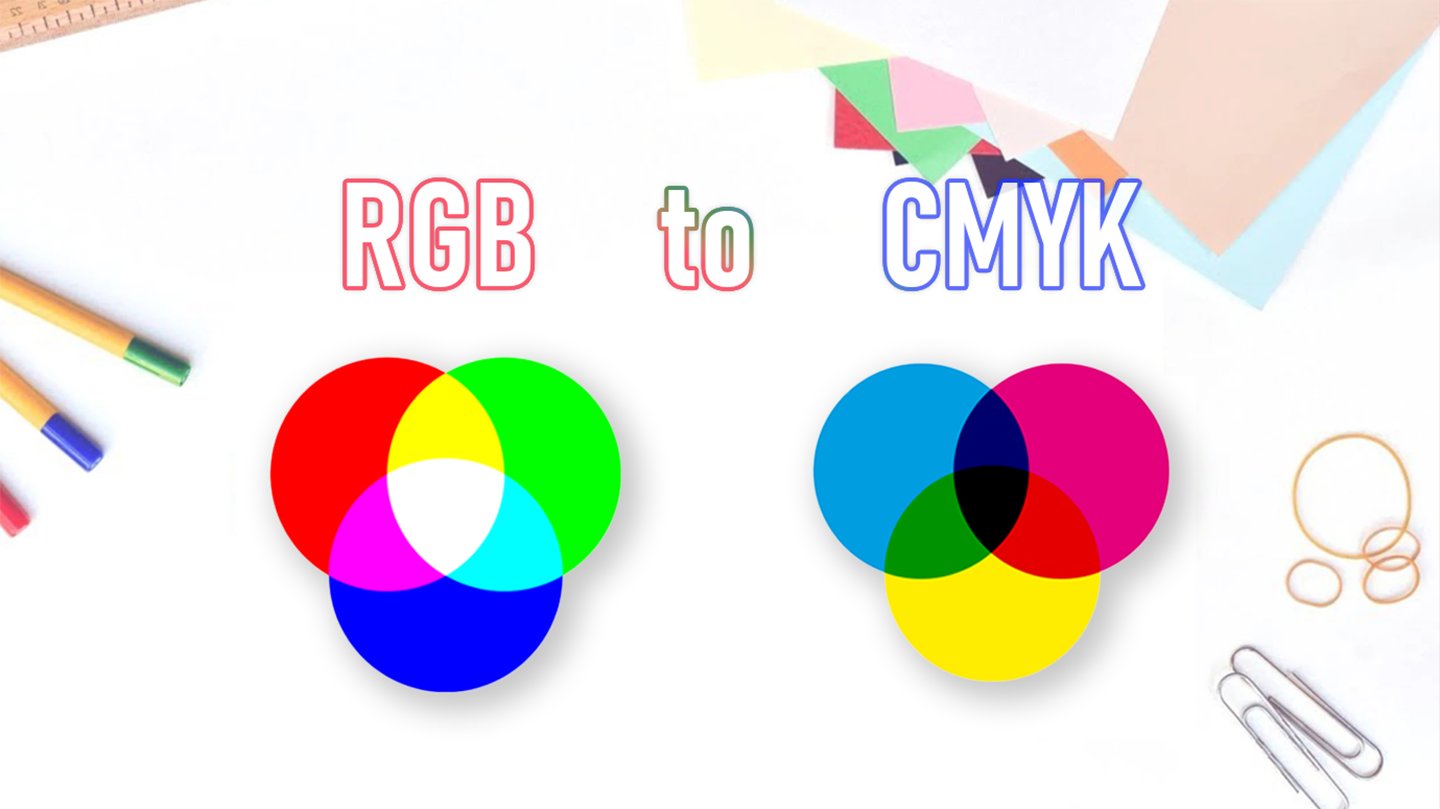





Easily convert RGB values or HEX colors to CMYK and understand how digital screen colors differ from printed results. A must-have guide for designers, marketers, and anyone preparing files for high-quality printing.
RGB to CMYK Converter
Adjust RGB values or pick a color to see its CMYK and HEX equivalents in real time.
- Cyan (C)
- Magenta (M)
- Yellow (Y)
- Black (K)
Conversion Formula
Normalize R, G, B to [0–1]. If R=G=B=0 → K=100%, C=M=Y=0. Otherwise:K = 1 − max(R′, G′, B′), C = (1 − R′ − K) / (1 − K), M = (1 − G′ − K) / (1 − K) ,Y = (1 − B′ − K) / (1 − K)
The RGB to CMYK converter is designed to bridge the gap between digital and print color systems. RGB (Red, Green, Blue) is widely used for screens, while CMYK (Cyan, Magenta, Yellow, Black) is the standard in professional printing. Colors that appear vivid on a monitor often look different when reproduced on paper due to these model differences. By converting RGB values into accurate CMYK percentages, this tool helps designers, printers, and brand managers maintain consistent color reproduction across digital and physical media. Whether you are preparing graphics for packaging, brochures, or high-quality publishing, the converter ensures that your chosen colors are print-ready and reliable.
What Is RGB?
RGB stands for Red, Green, and Blue — the three primary colors of light.
It’s the color model used in digital displays such as computer monitors, smartphones, cameras, and televisions. RGB colors are additive, meaning they’re created by mixing light: when all three colors are combined at full intensity, they produce pure white light.
Designers working in software like Photoshop, Illustrator, or Figma usually start with RGB because it matches how colors appear on screen. However, RGB colors can look much brighter than what can actually be printed using ink.
What Is CMYK?
CMYK stands for Cyan, Magenta, Yellow, and Black (Key) — the four ink colors used in professional printing.
Unlike RGB, CMYK is a subtractive color model: it starts with white (the paper) and adds layers of ink to absorb (subtract) light. When all colors are mixed, the result is deep black.
Printing presses and digital printers use CMYK to reproduce full-color images on paper. Each ink layer combines precisely to create thousands of visible shades.
Why RGB and CMYK Look Different
RGB and CMYK operate on opposite principles — one based on light, the other on pigment.
That’s why colors that appear bright and vivid on your screen can look darker, duller, or slightly shifted when printed.
| Comparison | RGB (Digital) | CMYK (Print) |
|---|---|---|
| Color Type | Additive (Light) | Subtractive (Ink) |
| Primary Colors | Red, Green, Blue | Cyan, Magenta, Yellow, Black |
| Used For | Screens, Websites, Digital Design | Offset & Digital Printing |
| Brightness | More Vibrant | More Realistic |
| File Formats | JPG, PNG, SVG, WebP | PDF, TIFF, EPS, AI, INDD |
To ensure color accuracy, designers should convert artwork to CMYK before printing — especially for brochures, books, catalogs, or packaging.
How the RGB to CMYK Converter Works
Our free RGB to CMYK Converter helps you quickly translate screen colors into printable equivalents.
Input or adjust RGB values — or use the color picker to select any shade.
The tool automatically converts RGB or HEX values into CMYK percentages.
Instantly view the resulting CMYK breakdown and color preview.
Copy values or share the color for consistent print design use.
This interactive converter uses standard formulas to ensure reliable color transformation.
Even small variations may occur depending on your printer type, paper finish, and ink density.
Tips for Accurate Printing Colors
To get the best results when moving from digital to print:
Design in CMYK mode when preparing print files.
Use calibrated monitors to preview colors accurately.
Request a hard proof or sample print from your printer before mass production.
Communicate color expectations clearly — provide both RGB and CMYK references if possible.
Avoid neon or metallic colors, which can’t be reproduced accurately with standard CMYK inks.
At ChinaBestPrinting, our prepress specialists ensure every project maintains consistent, vibrant color from screen to press — whether it’s a book, box, brochure, or catalog.
Experience Professional Color Accuracy
With advanced Heidelberg offset presses, color management systems, and skilled technicians, ChinaBestPrinting ensures every printed piece matches your intended vision.
From artwork setup to final delivery, we maintain strict quality control to produce exceptional results across all printing types.
Explore More Tools & Resources:
CMYK to HEX & RGB Converter
Paper Size Chart & Converter
Printing Glossary & Color Guide
